























THÔNG BÁO LỊCH NGHỈ LỄ QUỐC KHÁNH 2/9 NĂM 2022
[BKNS] THÔNG BÁO LỊCH NGHỈ LỄ QUỐC KHÁNH 2/9 NĂM 2022 Kính gửi Quý đối tác/ Quý khách hàng, BKNS trân trọng...

19/11/2020 16:54 | Luợt xem : 67
Chào các bạn hôm nay mình sẽ hướng dẫn các bạn cấu hình email relay vào hệ thống email exchange 2016.
Bước 1.Các bạn login vào trang quản trị email exchange.
Bước 2.Click vào Mail Flow và click tiếp vào send connectors
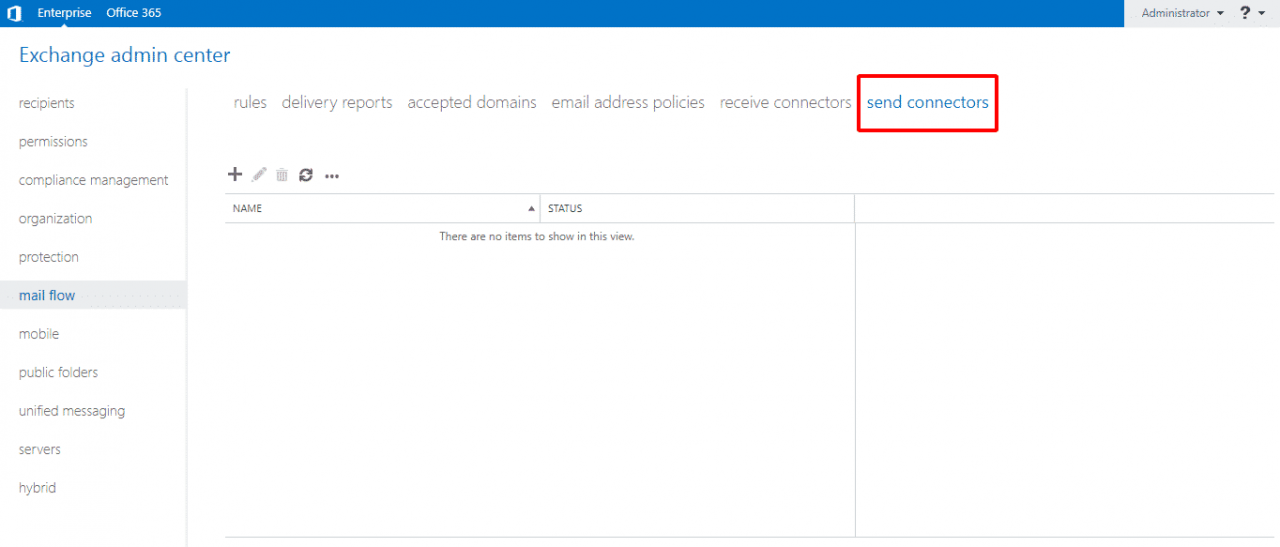
Bước 3. Click vào dấu + để thêm cấu hình relay.
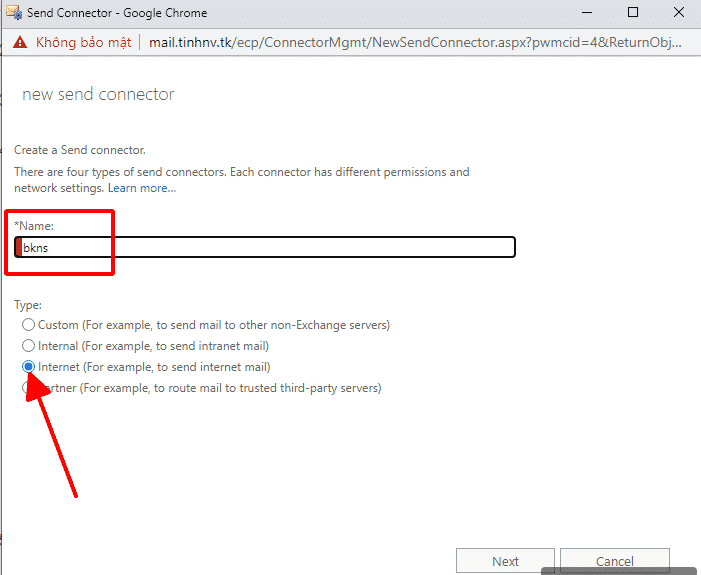
Bước 4. Đặt tên cho config relay và chọn dòng Internet (For example, to send internet mail) sau đó chọn next để tiếp tục.
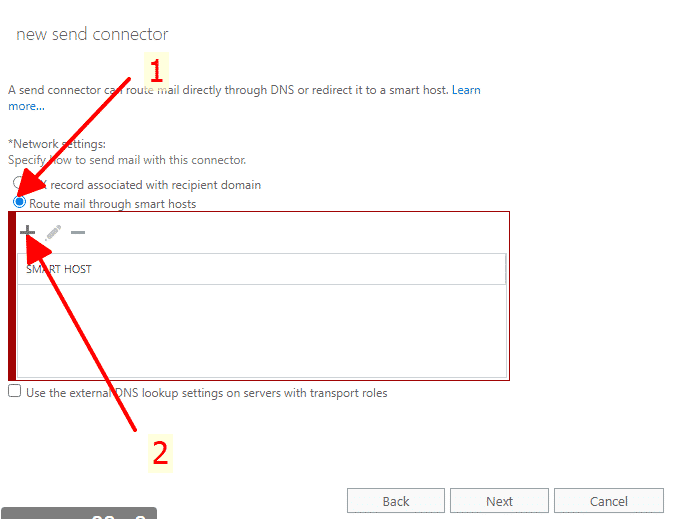
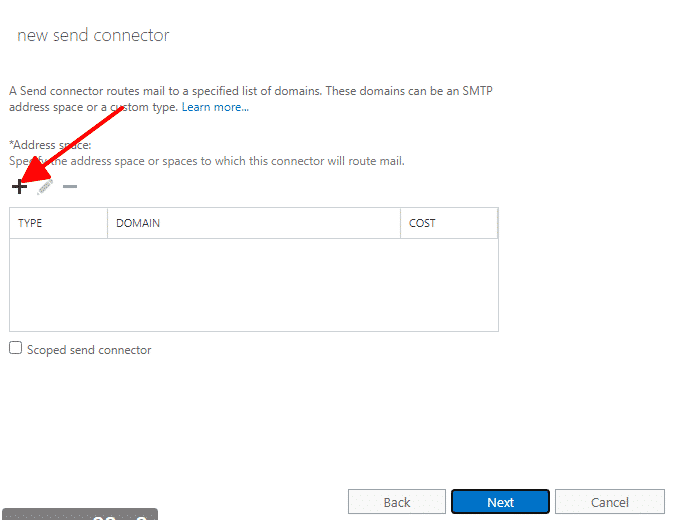
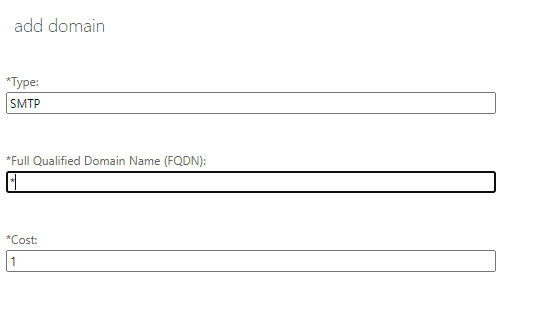
Bước 5. Chọn R
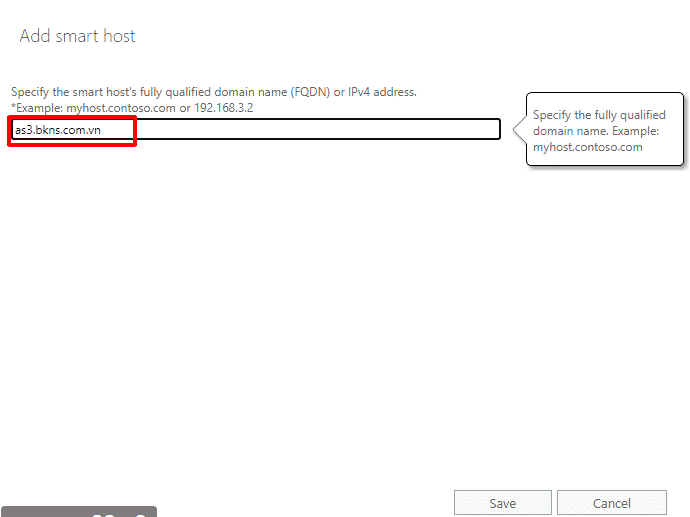
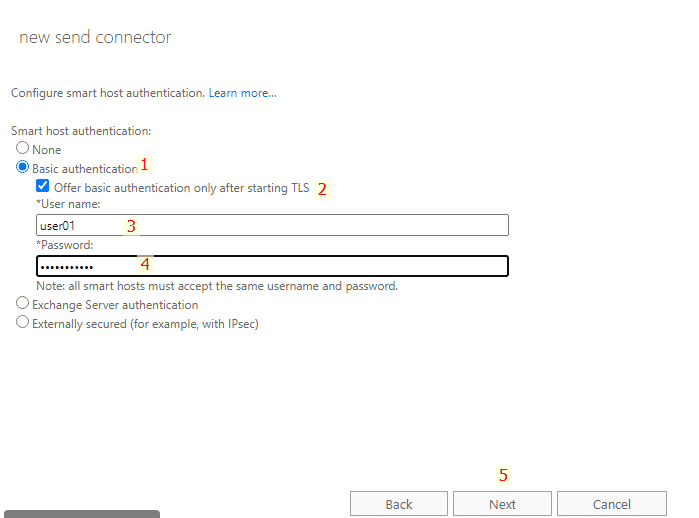
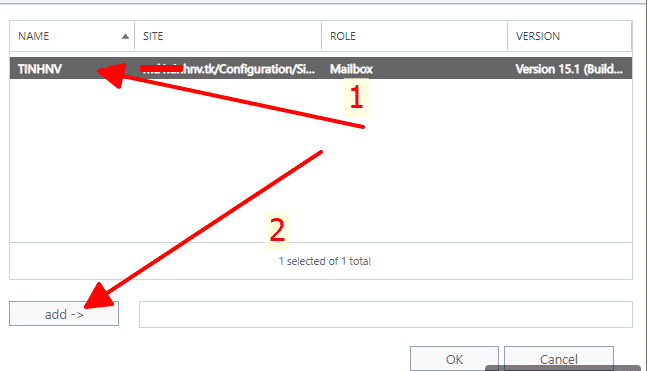
Bước 6. Tiếp theo điền tên server email relay(Nếu mua gói email relay ở bkns sẽ có địa chỉ là as3.bkns.com.vn)

| Cookie | Duration | Description |
|---|---|---|
| cookielawinfo-checkbox-analytics | 11 months | This cookie is set by GDPR Cookie Consent plugin. The cookie is used to store the user consent for the cookies in the category "Analytics". |
| cookielawinfo-checkbox-functional | 11 months | The cookie is set by GDPR cookie consent to record the user consent for the cookies in the category "Functional". |
| cookielawinfo-checkbox-necessary | 11 months | This cookie is set by GDPR Cookie Consent plugin. The cookies is used to store the user consent for the cookies in the category "Necessary". |
| cookielawinfo-checkbox-others | 11 months | This cookie is set by GDPR Cookie Consent plugin. The cookie is used to store the user consent for the cookies in the category "Other. |
| cookielawinfo-checkbox-performance | 11 months | This cookie is set by GDPR Cookie Consent plugin. The cookie is used to store the user consent for the cookies in the category "Performance". |
| viewed_cookie_policy | 11 months | The cookie is set by the GDPR Cookie Consent plugin and is used to store whether or not user has consented to the use of cookies. It does not store any personal data. |